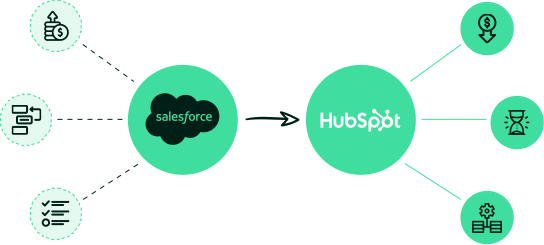

Ensure a seamless data shift with Inbound Sync—a Reliable Salesforce to HubSpot Data Migration Wizard.
No doubt Salesforce is a robust and popular CRM, but its hefty charges for its extensive range of features is a remarkable drawback. On the other hand, HubSpot is cost-effective and easy to learn due to its user-friendly interface.
Both platforms help in executing diverse inbound marketing tasks, so, it’s completely your choice which tool you are comfortable with. We provide data migration in both ways, however here we will help you with Salesforce to HubSpot data migration.
With Inbound Sync you can effortlessly shift to HubSpot, preserve your data’s integrity and security with minimal downtime.
Here’s our six-step process that Inbound Sync follows for quick data migration to HubSpot from Salesforce
You can connect your current CRM in our wizard tool, and choose the target CRM. Once these two are connected, the tool will automatically take you to the next step.
Here, you can pick the objects in Salesforce and their corresponding object names in HubSpot. For deeper understanding, you can check out some commonly-used objects at the end of this page.
If you already have records in your target CRM, you can prevent creating duplicate records by using the match records logic of this tool.
Using our intelligent mapping technique, you can quickly identify data structures and relationships to define transition rules and mappings.
Run a free sample, adjust the mappings, and rerun it. Repeat this process to ensure the accuracy of migrated data before running the entire migration.
Once ensured, start with your migration and relax. Our platform handles the complexity, maintains data integrity, and updates you on the progress of each step of data migration.
Whether you need a one-time migration or a continuous solution, Inbound Sync ensures your data is transferred safely and accurately. Start your migration today!
Our CRM migration wizard cuts the complexity of data migration and makes it hassle-free. Here’s what sets Inbound Sync apart from its competitors:
We handle every aspect of your CRM migration—from initial planning to end-support—for smooth data transition.
Your data is unchanged, uninterrupted and safe with us, even during the whole data migration process.
Inbound Sync strategically plans and executes data migration to ensure minimum business downtime.
Experience yourself how Inbound Sync can smoothly streamline your CRM migration process.
Data migration between HubSpot and Salesforce can lead to data loss or corruption. But not with Inbound Sync! We ensure seamless data transition, and preserve integrity and completeness of your data.
Manual CRM migration is tedious and error-prone. But Inbound Sync automates the migration process and significantly reduces the time and effort required to compete the data transition.
Different CRMs have different data structures which can create compatibility challenges during migration. Inbound Sync solves these issues by providing tailored CRM migration process for both HubSpot and Salesforce.
Solving the complexities of CRM migration can be overwhelming, especially without proper support. Inbound Sync offers dedicated customer support and guidance to ensure smooth data migration process.
Explore the list of commonly-supported objects while migrating from Salesforce to HubSpot
| Accounts | Companies | |
| Attachments | Attachments | |
| Calls (Tasks) | Calls | |
| Campaigns | Campaigns | |
| Feed Comments | Comments | |
| Contacts | Contacts | |
| Email Messages | Emails | |
| Meetings (Events) | Meetings | |
| Notes | Notes | |
| Opportunities | Deals | |
| Opportunity Product | Deal Line Items | |
| Products | Products | |
| Quotes | Quotes | |
| Quote Line Items | Quote Line Items | |
| Tasks | Tasks | |
| Users | Users |
Grab your free sample CRM migration withing Inbound Sync today!
Explore the list of FAQs that customers generally come across while migrating their CRM.
Getting started is simple. Connect your Salesforce and HubSpot accounts, choose the objects and data you want to migrate, and configure your field mappings. Inbound Sync guides you through the process step by step, helping ensure your contacts, companies, deals, activities, and custom objects are transferred accurately with minimal manual effort.
Inbound Sync supports the migration of standard and custom Salesforce data, including contacts, leads, accounts, opportunities, activities, notes, tasks, custom fields, and custom objects. Our platform preserves important relationships between records, helping maintain data integrity throughout the migration process.
Yes. Inbound Sync allows you to customize field mappings, select specific records to migrate, apply filters, and define data transformation rules based on your business requirements. This flexibility ensures your HubSpot CRM is structured exactly how your teams need it after migration.
Inbound Sync includes validation and mapping tools that help identify potential issues before migration begins. Duplicate management options, field validation checks, and migration logs help ensure a smooth transfer. If any issues arise, our support team can assist with troubleshooting and resolution.
Absolutely. We recommend performing a test migration with a subset of records before executing the full migration. This allows you to verify field mappings, review data accuracy, and confirm that your HubSpot environment is configured correctly before migrating your complete Salesforce database.
Discuss your requirements with us through a meeting. Pick your preferred date and time slot, our experts are ready to help you anytime during the working days.
Want to know more about Inbound Sync’s process, features, and services? Connect with us today!